Instagram profile analyzer
Chrome extension
Open a public Instagram profile in Chrome on your computer and click the Unfollowers Track icon. A sidebar shows the profile’s engagement rate, follower ratio and account size, worked out from the numbers already on the page.
- Free to install and use
- Never asks for your Instagram password
- Reads the page only when you click the icon
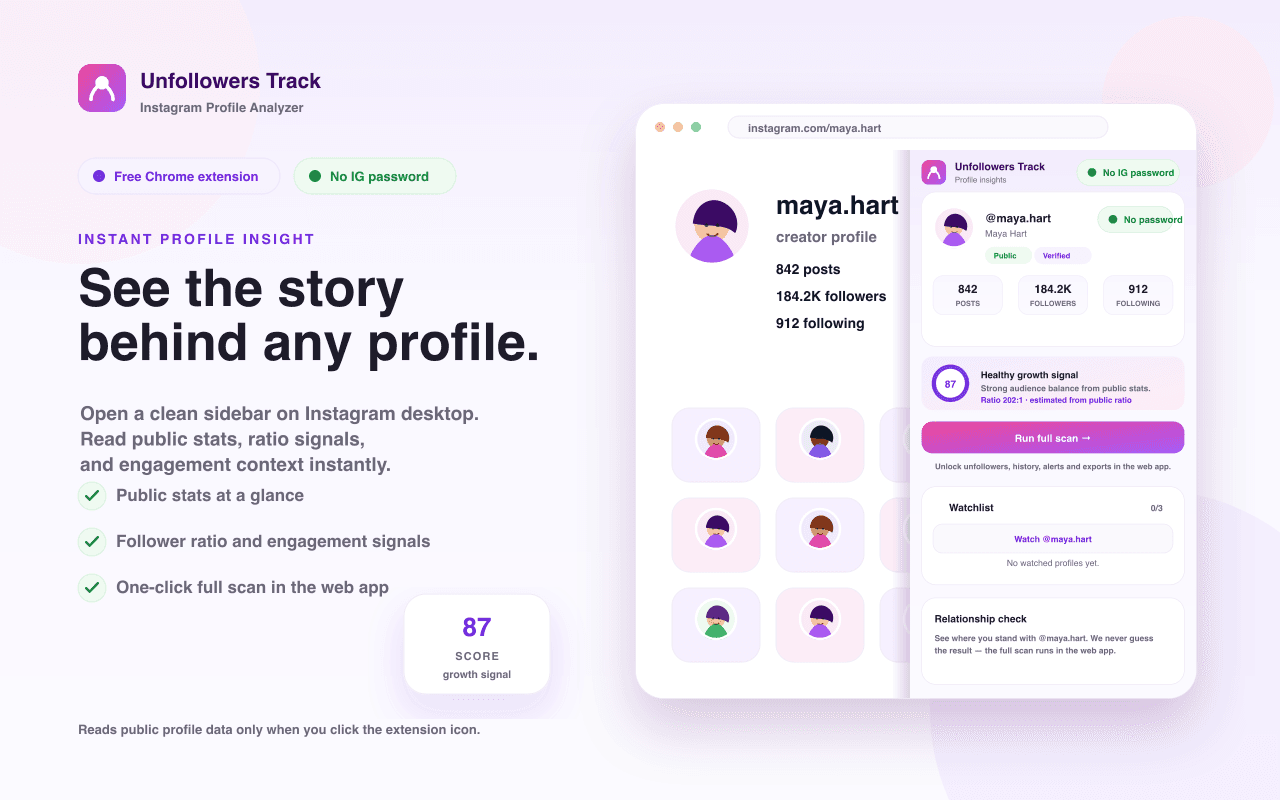
What the sidebar shows on a profile
Everything comes from public numbers Instagram already displays on the page. The extension reads them when you click and does the math in your browser.
Public profile snapshot
Posts, followers and following for the profile you have open, whether it is public or private, and whether it is verified. Copy the @username, the profile link or a one-line stats summary in one click.
Follower ratio score
Followers divided by following, shown as a ratio and a 0 to 100 score with a plain label such as Balanced or Strong creator signal. It is an estimate based on those two public numbers.
Engagement rate
When the profile grid shows like and comment counts, the sidebar measures an engagement rate from recent posts, with average likes and comments. If Instagram hides those counts, you see the typical range for an account of that size, labeled as an estimate.
Account size
Each profile gets a size tier, from nano (under 10K followers) to mega (1M and up), along with its followers per post.
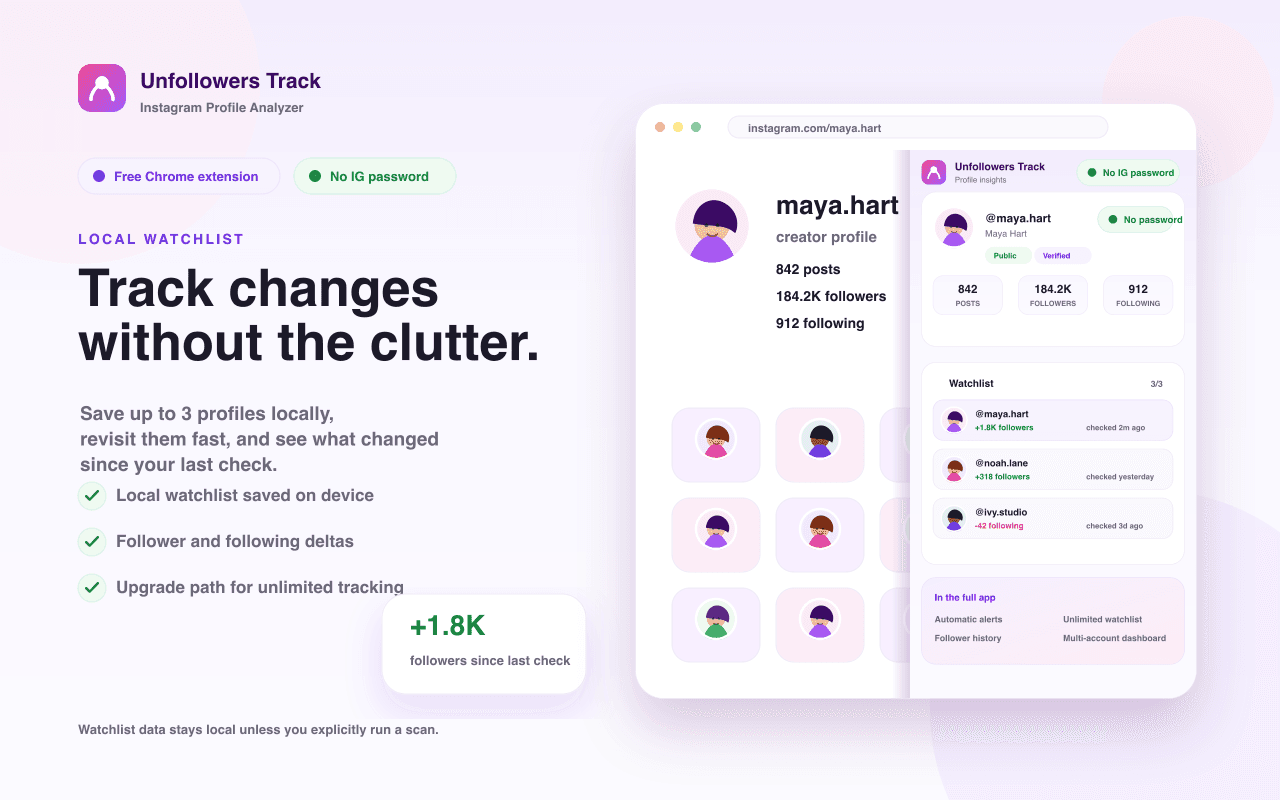
Watchlist for three profiles
Save up to three profiles on your device. When you open a saved profile again, the sidebar shows how its followers, following and posts changed since your last check.
Full scans in the web app
Run full scan and the relationship check open the Unfollowers Track web app in a new tab, where the scan runs. The extension never guesses who follows whom.
How it works
- 1
Add it to Chrome
Install Unfollowers Track from the Chrome Web Store, then pin it from the puzzle-piece menu so the icon stays in your toolbar.
- 2
Open an Instagram profile
In Chrome on your computer, go to instagram.com and open any public profile, including your own.
- 3
Click the icon
The sidebar opens next to the profile. Click the icon again or press Esc to close it. Move to another profile while it is open and it updates.
It works in desktop Chrome 109 or later on instagram.com. On Instagram pages that are not a profile, such as the feed or a single post, the sidebar points you to a profile and still offers the relationship check.
How the engagement rate is worked out
Engagement rate = (average likes + average comments) ÷ followers × 100
The sidebar reads the like and comment counts Instagram shows on the profile grid. It uses up to 12 posts whose counts are visible, starting from the top of the grid, and waits until it has at least 4 so a single viral post can’t decide the number. The result is tagged “measured” and shows how many posts it used.
Instagram often hides like counts. When there aren’t enough visible counts, the sidebar shows the typical range for an account of that size instead, labeled “Est. engagement rate”. That range describes accounts of a similar size, not the profile you are viewing.
The calculation runs in your browser. The like and comment numbers and the rate are never sent to our servers, stored or included in analytics.
| Size | Followers | Typical range |
|---|---|---|
| Nano | Under 10K | 4–7% |
| Micro | 10K to under 100K | 2–4.5% |
| Mid-tier | 100K to under 500K | 1.5–3% |
| Macro | 500K to under 1M | 1.2–2% |
| Mega | 1M and up | 0.8–1.5% |
What the follower ratio score means
The ratio is followers divided by the number of accounts the profile follows. A profile with 20,000 followers that follows 400 accounts has a ratio of 50×.
The score places that ratio on a 0 to 100 scale. An even ratio (1×) scores about 50, a ratio of 10× about 83 and a ratio of 0.1× about 17. A short label sits next to the score.
It is a quick read of two public numbers. It does not measure follower quality, fake followers or how engaged an audience is. For that, look at the engagement rate.
| Followers ÷ following | Label |
|---|---|
| 5× or more | Strong creator signal |
| 1.5× to under 5× | Influencer-leaning |
| 0.8× to under 1.5× | Balanced |
| 0.4× to under 0.8× | Follows widely |
| Under 0.4× | Follows many |
Privacy: what it reads, keeps and sends
A plain summary of the extension’s privacy policy, last updated June 18, 2026.
What it reads
- Only public information already visible on the Instagram page you have open, such as follower, following and post counts, public or private status, and the like and comment counts shown on recent posts.
- It reads the page only at the moment you click the icon. It has no standing access to Instagram and does nothing in the background.
- It requests no host permission for Instagram. Its permissions are activeTab and scripting (to show the sidebar in the current tab when you click), storage (for your watchlist and settings) and access to our analytics endpoint.
What it never does
- Ask for, receive or store your Instagram password.
- Read cookies, session tokens or other authentication data.
- Read direct messages, private posts or other non-public content.
- Follow, unfollow, like, comment or take any other action on Instagram for you.
- Keep a hidden log of the profiles you open.
What stays on your device
- Your watchlist (only the profiles you choose to watch, up to three, with username, profile link, last-seen public counts and timestamps), your settings (an optional default username and your analytics preference) and a random anonymous ID created at install. All of it is kept in Chrome’s local storage, not on our servers.
- Profiles you only view are not saved.
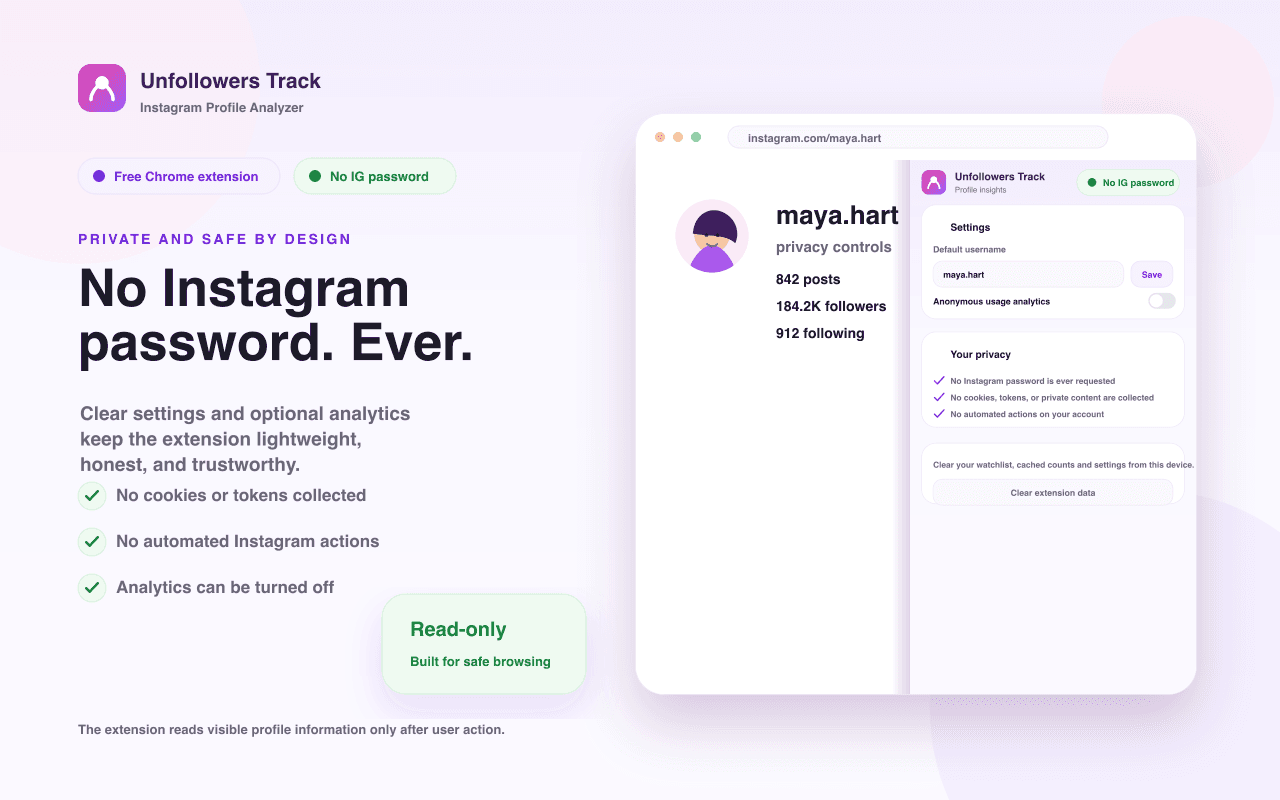
- You can erase everything with Settings → Clear extension data, or by removing the extension.
What leaves your device
- Anonymous usage analytics sent to our analytics provider, PostHog: which features you use, the extension version, the random install ID and a few non-identifying signals, such as the type of Instagram page. Never your Instagram login, the usernames you view, Instagram content, cookies or tokens. Turn it off in Settings → Anonymous usage analytics.
- The engagement rate is calculated in your browser. The like and comment numbers behind it are never sent to our servers, stored or included in analytics.
- When you click Run full scan or a relationship check, the extension opens unfollowerstrack.com in a new tab with the Instagram username for that scan in the link. “Check if @them follows you” also includes that profile’s username. This happens only when you click.
- We do not sell or share your data with third parties.
Unfollowers Track is an independent product and is not affiliated with, endorsed by or sponsored by Instagram or Meta. Scans you open in the web app follow the Unfollowers Track privacy policy.
Questions about the extension
Is the Unfollowers Track Chrome extension free?
Yes. The extension is free to install and use, including the profile snapshot, follower ratio score, engagement rate, account size, copy buttons and a watchlist of up to three profiles. Scans you start from the sidebar run in the Unfollowers Track web app.
How does the extension calculate engagement rate?
It adds the average likes and average comments of recent posts, divides by followers and shows the result as a percentage. It uses up to 12 posts whose counts are visible, starting from the top of the profile grid, and needs at least 4. When Instagram hides like counts, it shows the typical range for an account of that size instead and labels it as an estimate.
What does the follower ratio score mean?
It is the profile’s followers divided by the number of accounts it follows, placed on a 0 to 100 scale where an even ratio scores about 50. A label such as Balanced or Influencer-leaning describes the ratio. It is a quick estimate from two public numbers and does not measure follower quality or fake followers.
Can it show who unfollowed me or who doesn’t follow me back?
Not inside the extension. The relationship check and Run full scan buttons open the Unfollowers Track web app, which runs the scan and lists who doesn’t follow you back. Unfollowers appear once a later scan can be compared with an earlier one. The extension never guesses either result.
Check who doesn’t follow you backDoes it work on private Instagram accounts?
Partly. The sidebar marks the profile as private and shows only what Instagram makes public, such as follower, following and post counts when they are visible. It cannot see private posts, so it cannot measure engagement for a private account.
Do I need to give it my Instagram password?
No. The extension never asks for, receives or stores your Instagram password, and it does not read cookies or session tokens. It reads the profile page you already have open in Chrome.
Does the extension do anything on my Instagram account?
No. It never follows, unfollows, likes or comments, and it takes no action on Instagram for you. It reads the page only when you click its icon and does nothing in the background.
What data does the extension collect?
Anonymous usage analytics, which you can turn off in Settings, and the Instagram username in the link when you choose to run a scan. Your watchlist and settings stay on your device. It never collects your password, cookies, direct messages or private content.
Does it work on my phone or in the Instagram app?
No. It is a desktop Chrome extension that works on instagram.com in Chrome on your computer (Chrome 109 or later). It is not built for the Instagram app or for phone browsers.
Who makes Unfollowers Track for Chrome?
NaviStack LLC, the company that runs Unfollowers Track and the Lurke app. Unfollowers Track is independent and is not affiliated with, endorsed by or sponsored by Instagram or Meta.
About NaviStack LLCUpdated · Made by NaviStack LLC · How we check our claims
Try it on the next profile you open
Free, read-only profile insights in a sidebar while you browse Instagram on your computer. Prefer the web? Check who doesn’t follow you back.
More free tools
All toolsProfile picture downloader
Get a closer look at a public profile picture. Enter a username, preview the available image, and save it to your device.
Open toolReels downloader
Keep a public Reel you have permission to save. Paste its link, preview the video, and download the available file.
Open toolUnfollowers ZIP checker
Drop the ZIP file Instagram gives you and see who doesn’t follow you back. The file is read in your browser, never uploaded.
Open toolInstagram profile viewer
Explore a public profile’s posts, Reels and tagged posts. Enter a username to see a small media sample without an Instagram password.
Open toolGhost follower checker
Review your own follower sample for low-signal profiles (no profile photo and no name) that may be inactive or incomplete. This tool cannot measure activity. Start a free preview scan to review the sample and its limits.
Open toolFollower count checker
Look up the exact follower, following, and post counts of a public Instagram account, plus its follower ratio and account size.
Open toolEngagement rate calculator
Work out how strongly an audience responds to posts. Enter your own numbers, or fill them in from a public username and see each recent post.
Open toolHighlights viewer
See the stories a public account keeps on its profile. Enter a username, open any highlight, and save the photos and videos you need.
Open toolComments viewer
Read the comments on a public post or Reel in one list, and search it for a username. Paste the post link to start.
Open toolPost likes viewer
See accounts that liked a public post or Reel, and search the list for a username. Paste the post link to start.
Open toolVideo downloader
Save a video from a public Instagram post or Reel. Paste the link, preview every video it contains, and download the file you need.
Open toolPhoto downloader
Save the photos from a public Instagram post, including every image in a carousel. Paste the link, preview them, and download the ones you need.
Open tool