Guides
Instagram Follower Monitoring Apps for Business and Creator Accounts
Discover the best Instagram follower monitoring apps for businesses and creators. See how Unfollowers Track helps grow your audience.
Jul 17, 2026
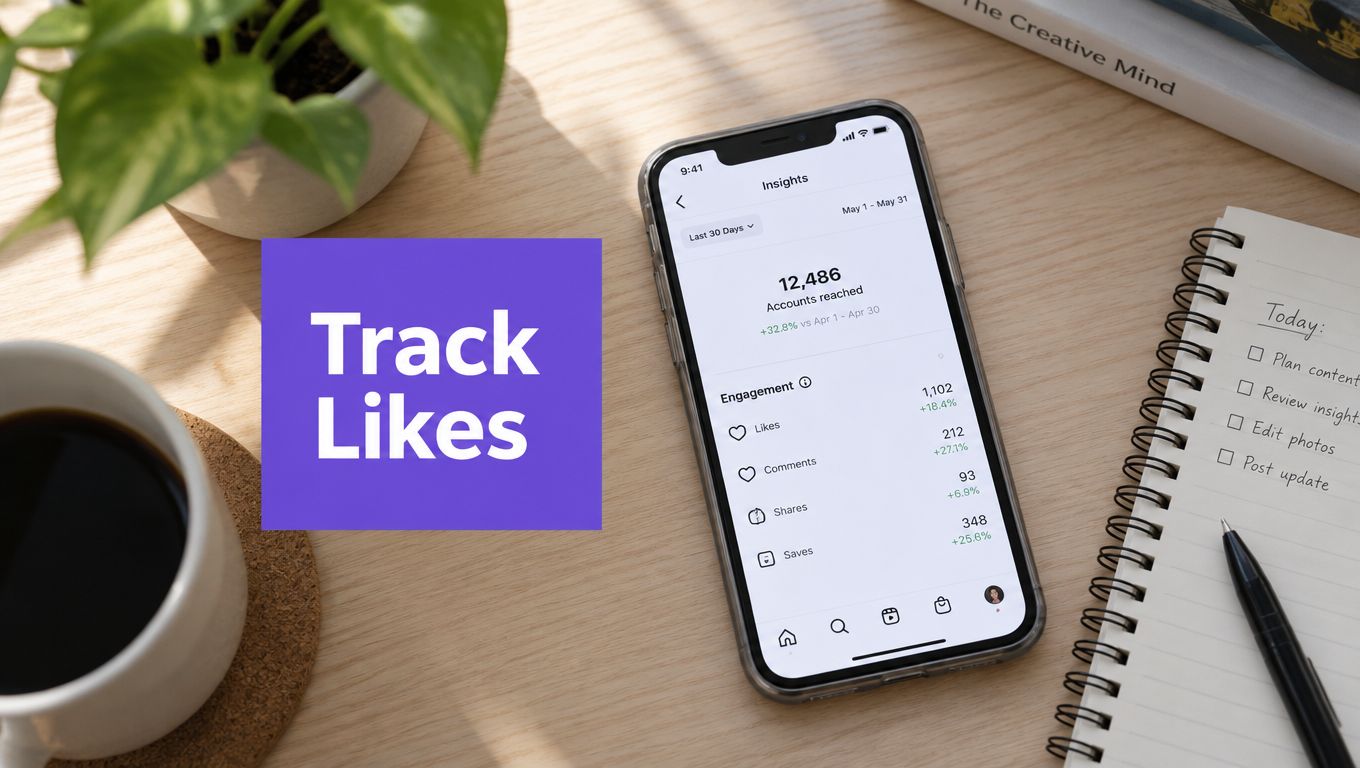
Learn how to track Instagram likes the right way. Compare manual methods, scan-based tools, and proven strategies to spot real engagement trends.
Most advice about how to track Instagram likes starts with a deceptively simple instruction: open a post, read the number, and compare it with yesterday's number. That method records activity, but it doesn't explain performance. A like count becomes meaningful only after you account for account size, audience exposure, hidden public totals, and the moment at which you measured it.
The difference matters because Instagram likes remain a core engagement signal, while public visibility of those likes is increasingly incomplete. A third-party analysis published by LikeWave in August 2026, covering 137 public accounts, found a median of 2,800 likes per post, a median follower-based like rate of 1.58%, and a middle range from 0.17% to 5.86%. The same dataset reported a mean of 52,610 likes, showing how a small number of very large or viral accounts can distort averages. You can review the full Instagram likes benchmark analysis, but the practical conclusion is more important than the headline number: tracking likes is an interpretation problem. These are LikeWave’s reported observations, not a verified Unfollowers Track study or a universal benchmark.
A raw like count looks objective because it's easy to see. That doesn't make it comparable. 500 likes may be a healthy result for a profile with 1,000 followers, but a weak result for a profile with 80,000 followers. Those figures are a simple illustration, not a universal benchmark, because the number of followers who saw a post can differ substantially from the number shown on the profile.
Account size creates the first distortion. The August 2026 analysis cited above found that like rates vary sharply by audience size, while the average number of likes per post is pulled upward by unusually large accounts. A small profile can produce more likes per follower than a much larger profile while still having a lower final count. Comparing the totals alone rewards scale, not necessarily content efficiency.
Timing creates a second distortion. Two posts can finish with the same number of likes, but one may have earned most of them shortly after publication while the other accumulated them gradually over a longer period. Instagram engagement is heavily front-loaded around publication. One industry guide describes the first 15 to 20 minutes as vital, while another notes that early engagement within the first 60 minutes can support broader distribution. Those timing observations are discussed in guidance on how Instagram's algorithm affects posting times. A final count without an elapsed-time marker hides the rate of accumulation.
The useful question isn't “How many likes did this post get?” It's “How many likes did it get relative to the audience and opportunity it had?”
A follower-based rate can be calculated as:
(Likes + Comments + Saves + Shares) / Followers × 100
When reach is available, a reach-based rate can be more informative:
(Likes + Comments + Saves + Shares) / Reach × 100
In a hypothetical example, 500 likes / 2,000 followers × 100 = 25%, compared with 500 likes / 200,000 followers × 100 = 0.25%. These are likes-to-followers ratios, not universal performance benchmarks or the combined engagement rates above. The same like count represents a higher proportion of followers on the smaller account; reach and post age still matter.
Practical rule: Never compare raw likes across accounts unless you also record follower count, reach where available, post format, and the post's age at measurement.
A reliable tracker therefore stores the count, the account size, the publication date, and the comparison window together. It also compares similar posts rather than using one viral post as the definition of normal performance. The rest of the process is about replacing isolated totals with fixed check-in windows, normalized rates, and repeated trends.
An Instagram like isn't a single, complete data point. It's a visible interaction filtered through privacy settings, account access, platform timing, and the method used to collect it. Before you track likes, decide which version of the signal you can observe.
A visible public like count is not a complete activity history. Availability depends on the post, account access and whether the count is displayed. For broader marketing context, see HubSpot’s Instagram marketing report. This is third-party marketing research, not official Instagram documentation or evidence that a public-data tool can access hidden interactions.
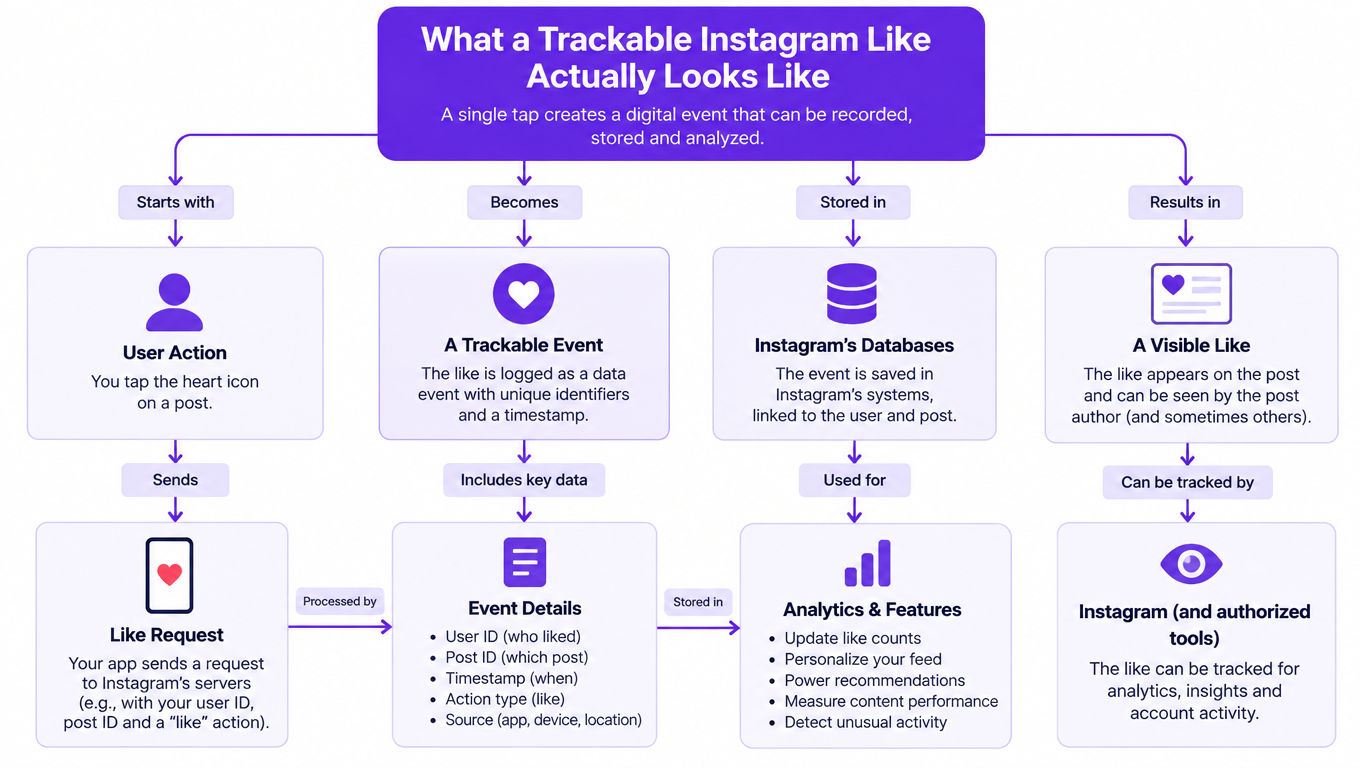
Conceptual illustration of a platform event, not an Unfollowers Track data export. Public observations do not expose the exact timestamp or full internal record of each like.
A public post can expose a list of visible likers, but that list doesn't tell you everything about the person's activity across Instagram. Likes on private-account content remain unavailable to third parties, and a public-post scan can't establish which posts a person liked elsewhere. A “top engagers” ranking should therefore be described as a ranking of visible post likers, not a complete activity history. This limitation is also explained in how public post likes can identify who liked your Instagram content.
Follower status adds another layer. A returned liker may follow the account, or may have discovered the post through public distribution, search, or another route. The liker list alone doesn't prove the relationship between the two accounts. If your goal is to identify who liked your Instagram, you can inspect the visible list, but you still need a separate follower comparison to classify each person accurately.
A snapshot says what the count looked like when it was collected. It doesn't say when each individual like arrived. Public-profile analytics workflows commonly collect data daily or weekly, and post engagement counts can lag by a few minutes on Instagram's servers, according to this overview of Instagram public data access.
That distinction rules out several tempting conclusions. A higher count in a later scan doesn't prove that all the difference arrived between the two scans, and a liker ranking doesn't reveal a precise order of individual interactions. Deleted accounts, removed likes, inauthentic activity, and other changes may affect what a later snapshot shows, but Instagram doesn't expose a dependable label for every category. An honest tracking method states what it captures, then names what it cannot establish.
The right tracking method depends less on brand preference than on the evidence you need. Manual checking gives you control over the observation point. Native Instagram analytics gives account owners first-party performance data. Scan-based tools can create repeated public snapshots, but they can't turn incomplete public data into a private activity archive.
| Method | Data Source | History Available | Access Risk | Best Use Case |
|---|---|---|---|---|
| Manual tracking | Public post counts and manually recorded account data | Only the history you record | Low, because no third-party login is needed | Small datasets and controlled experiments |
| Instagram-native analytics | Instagram's own post and account Insights | A window of recent account data, subject to Instagram's interface and retention | Low within the account's own tools | Professional accounts measuring their own content |
| Scan-based tracking | Public profile, follower, and post-like snapshots | History begins when collection starts and depends on later scans | Varies by provider, especially if login credentials are requested | Public-account monitoring and change detection |
Manual tracking is slow, but its logic is easy to audit. You choose a post, record the count at a defined age, and preserve the observation in a spreadsheet or screenshot. The weaknesses are equally clear: people forget check-ins, use inconsistent times, and struggle to maintain a long series across many posts.
Instagram's native Insights are the strongest option for measuring content you own because the data comes from the platform itself. Professional accounts can review post-level likes and related metrics such as reach, while users can use the activity area's liked-post filter for personal monitoring. Native tools are not designed to reconstruct another person's complete like history, and they don't solve every historical comparison problem. Interface availability and the amount of recent data shown can also change.
A broader analytics workflow should treat likes as one input among reach, comments, saves, shares, and other interactions. Use native data when you own the account, and do not infer unavailable information.
A scan-based service reads publicly visible information and compares what it finds over time. That can reveal changes in public follower lists or visible post-liker patterns, but only from the point at which scans exist. It cannot recover a historical event that was never collected, and it shouldn't promise exact like timestamps or complete coverage of private content.
The access question matters. A service that asks for an Instagram password creates a different risk profile from one that accepts only a public username. Before choosing any tracker, review its data source, privacy practices, collection limits, and whether its results are snapshots rather than direct account access. For a focused comparison of accuracy considerations, see which Instagram tracker gives the most accurate data.
A useful spreadsheet doesn't need to be elaborate. It needs to make every observation reproducible. Define the check-in age before recording the first post, then measure comparable posts at that same age rather than collecting whichever count happens to be visible when you open Instagram.
Use one row per post and preserve the original context. A practical starting point is to record the like count at a fixed age, such as 24 hours after publication, while logging the actual check time separately. The fixed age makes posts comparable, and the check-time field shows whether the observation drifted from the intended window.
| Column | Purpose | Example |
|---|---|---|
| Post URL or ID | Identifies the exact content | Public post link or internal reference |
| Published timestamp | Establishes post age | Date and local publication time |
| Check-in age | Keeps comparisons consistent | 24 hours after publication |
| Like count | Records the visible result | Count observed at the check-in |
| Follower count | Supplies the denominator | Profile total at the same moment |
| Check timestamp | Shows when the observation occurred | Date and time of measurement |
| Format and topic notes | Separates content variables | Carousel, Reel, campaign, or collaboration |
Don't mix a six-hour count with a 48-hour count in the same trend line. The later observation has had more time to collect engagement, so a comparison would measure elapsed time as much as content performance. If a post misses its planned check-in, mark it as late or exclude it from the primary comparison rather than treating it as equivalent.
Record follower count beside likes because audience size changes the interpretation. The formula for a simple like rate is:
Likes / Followers × 100
For broader engagement, use the combined formula described earlier and keep the same denominator across the series. Compare your own posts at the same age and with the same metric definition. A median can help describe a typical post when a few unusually large results distort the average; it does not establish a universal benchmark for accounts of a particular size.
Add a second sheet that calculates like rate automatically, but don't delete the raw values. Raw counts help you audit the rate, and notes explain unusual observations. Flag paid promotion, a collaboration, a changed format, an unusually high-reach post, or an account privacy change.
This workflow stays deliberately light. Anyone reviewing the file later should be able to answer three questions without asking you to remember what happened: what was posted, when was it checked, and what audience size did the result represent? For related approaches to follower data and historical comparisons, see top Instagram follower tracking tools for 2026.
No verified Unfollowers Track scan finding establishes a universal time-of-day peak. Aggregated liker counts also don't establish when individual likes occurred. A creator can still test a posting-time hypothesis, but the test has to separate a repeatable pattern from a memorable outlier.
Consider a hypothetical solo creator who publishes six comparable posts over two weeks. Three go live at 9 a.m. local time, and three go live at 7 p.m. local time. For every post, the creator records the 24-hour like count and follower count at that same check-in age.
Record the six observations before deciding whether either time performed better. No result is supplied for this hypothetical test, and there is no assumed winning time.
The creator converts each post into a like rate by dividing likes by followers and multiplying by 100 to express it as a percentage. That prevents follower growth during the test from making the later posting slot look stronger merely because the account became larger. The creator then calculates the average like rate for the morning group and the evening group.
Six posts are a small exploratory sample. A difference between the groups is a hypothesis to test with more comparable posts, not proof that one posting time performs better. A near-tie gives no basis for changing the schedule. Topic, format, caption, distribution and audience conditions can all influence engagement, so this comparison does not establish that posting time caused the result.
A posting-time decision should survive repetition. One unusually strong post can't carry that decision by itself.
The creator therefore logs confounding events beside each row. A Reel push, collaboration mention, paid promotion, unusual news cycle, or major format change can explain a result that appears to belong to the time slot. If the morning group contains a collaboration and the evening group doesn't, the test isn't comparing posting times fairly.
The purpose is disciplined learning, not a universal schedule. The creator might adjust the next publishing window if the pattern repeats, then continue recording results rather than treating the first test as permanent proof. For more detail on how a testing methodology can be framed, review how the testing process is described, while keeping the distinction between a hypothetical method and a verified customer case.
Daily checking often creates noise. A weekly review gives you enough distance to compare recent posts without reacting to every small fluctuation. Use the same post age in every review, append new rows to the spreadsheet, and calculate the rolling like rate from comparable content.
Start each review by checking whether the data is complete. A missing public count, a hidden like total, a private account, or a delayed platform update should be marked as a limitation, not converted into a confident conclusion. Public Instagram data is snapshot-based, so a tracker can show what was observable at collection time, not an exact real-time record.
You can use a standard-deviation flag to identify posts that sit unusually far from the recent average, but treat the flag as a prompt for inspection. It isn't proof of a cause. Write one sentence beside every flagged row explaining the most visible context, then check whether a similar pattern appears in later observations.
Don't change the check-in age retroactively. If earlier posts were measured at 24 hours, keep that rule for the historical series and create a separate series if you later choose another window. Over several weeks, this discipline turns scattered counts into a readable trend line.
Likes still matter, but they work best as a contextual signal, not a standalone score. The useful question is whether the rate, timing, audience size, and content context move together in a way that supports a decision. That standard protects you from both false alarms and inflated success stories.
For public follower and following comparisons, visit Unfollowers Track and review the available preview and plan limits. The manual likes workflow above does not require a dedicated Unfollowers Track like counter or promise automatic like-history exports.
Partner resource: HeyTrendy’s social media analytics guide. This link is included through our content-link exchange; it is not a source for the product capabilities or measurement claims above.
About the author
We are the team that builds and runs Unfollowers Track, a scan-based Instagram tracker. Everything we publish is checked against how the product actually works: scans analyze public profile data only, changes show up by comparing one scan against the next, and we never ask for your Instagram password. Read how we test and verify claims, or contact us with questions or corrections.
Guides
Discover the best Instagram follower monitoring apps for businesses and creators. See how Unfollowers Track helps grow your audience.
Jul 17, 2026
Guides
Compare Instagram follower tracker accuracy in 2026. See when to use scan-based follower tracking, Instagram Insights, and broader analytics tools.
Jul 11, 2026