
Privacy & blocking
Why Does Instagram Hide Comments? Causes and Fixes
Why Does Instagram Hide Comments? Learn the filters, Restrict and Limits behind hidden comments, who can still see them, and how to review settings.
Nov 14, 2026

Explore close friends instagram basics: set up your list, share Stories with your inner circle, and learn who can see it and why public tools can't.
Instagram Close Friends lets an account owner share a Story with selected people instead of their broader Story audience. A green ring identifies a Close Friends Story; it does not explain why the owner selected someone.
For someone with a different goal, such as viewing an account's currently available public Stories without logging in, the public Story viewer provides that separate workflow.
Think of an account's broader audience as a gathering, with Close Friends as a smaller room for invited guests. In a hypothetical example, someone might share holiday scenery broadly but reserve a personal update for selected friends.
Instagram's launch announcement introduced Close Friends globally on November 30, 2018, for the latest iOS and Android apps. It established an audience control within Instagram, not a separate messaging service.
The account owner controls the complete list. The launch announcement says only the owner can see the list and no one can request to be added. People on the list see a Close Friends label (and may see a green ring) when viewing the owner's stories, notes or reels, so they can tell they're on it, but they don't get the membership list.
The useful distinction is between choosing an audience and explaining a relationship. The feature handles the former; the account owner supplies the meaning.
The practical setup starts in the Instagram mobile app. The task is to select accounts deliberately, rather than assume that everyone followed belongs in the smaller audience.
According to Instagram's guide to creating a Close Friends list (iPhone app, checked October 2026):
Instagram's interface can change, so a fixed button label shouldn't take priority over the controls displayed. Before publishing anything personal, the account owner should review the selected audience rather than rely on an old recollection of the list.
Practical rule: Select people according to the content they should receive, not according to an obligation to include them.
For a hypothetical family update, that might mean selecting relatives who need the information rather than every acquaintance. For a hobby update, the appropriate group might be entirely different.
Managing this list is an audience decision. It doesn't require declaring that someone is a best friend, and removing a name needn't be treated as a public statement.
The Instagram Help Center's Close Friends Story guide identifies this sharing workflow as available on mobile devices, not computers. The Help Center also maintains separate guidance for sharing Reels with Close Friends, so the feature isn't limited to Stories, although controls differ by content type.
Audience selection deserves its own final check. A photo may be harmless while its text reveals a location, appointment, or someone else's personal news. Selecting a narrower audience doesn't resolve whether that information should be shared at all.
Temporary visibility and confidentiality are separate considerations.
You see a green ring around a friend's Story, but you cannot see the other people who can view it. The ring marks a Close Friends audience cue; it does not reveal the owner's list or how it changed. Here's how the main audiences differ:
| Content | Who can view | Viewer cue | Access changes when |
|---|---|---|---|
| Close Friends Story | Selected members | Green ring | The owner changes audience eligibility or the Story becomes unavailable |
| Regular Story | People permitted by the account's audience settings | No Close Friends designation | The owner changes relevant audience settings |
| Public Story from another account | People able to access that public Story | Public availability doesn't identify a private audience | The account removes the Story or it expires |
| The Close Friends list itself | Its owner only | Not shown as a list; but on Close Friends reels and notes, other members can see who liked or commented | The owner adds or removes accounts |
A viewer can recognize the green-ring signal without seeing the list behind it. That's different from checking Instagram Story viewer order, which concerns how viewers are displayed, not who was selected for an audience. The list itself remains visible only to its owner.
People aren't notified when they're added or removed, according to Instagram's Close Friends list guide. But members see a Close Friends label when viewing your stories, notes or reels, so someone on the list can tell they're on it.
A visible Story provides a limited signal, not a membership history. It doesn't establish when the owner added someone, whether the list recently changed, or why that person was selected.
Hypothetical example: A viewer sees a Close Friends Story, then later sees an ordinary Story from the same account. The owner may have chosen a broader audience for the later post; that difference doesn't establish removal.
Likewise, an absence of visible Close Friends content doesn't identify a particular list edit. There may be nothing relevant available for that viewer to observe.
An audience indicator isn't a measure of affection, trust, or relationship status.
Someone considering a stronger account boundary should distinguish list management from other actions, including removing a follower versus blocking. Those actions address different needs.
If the relationship matters, a direct conversation is more useful than trying to reconstruct someone's intentions from Story indicators.
A recipient can screenshot a Close Friends Story and share it elsewhere. And on Close Friends reels and notes, Instagram says other members can see the username of anyone on the list who likes or comments, so interacting there isn't private from the rest of the group. The selected audience limits who sees it at first, but it cannot control every later copy. Before posting, consider what could happen if the material reaches someone outside the group. Health, financial, identity, and intimate details call for particular care.
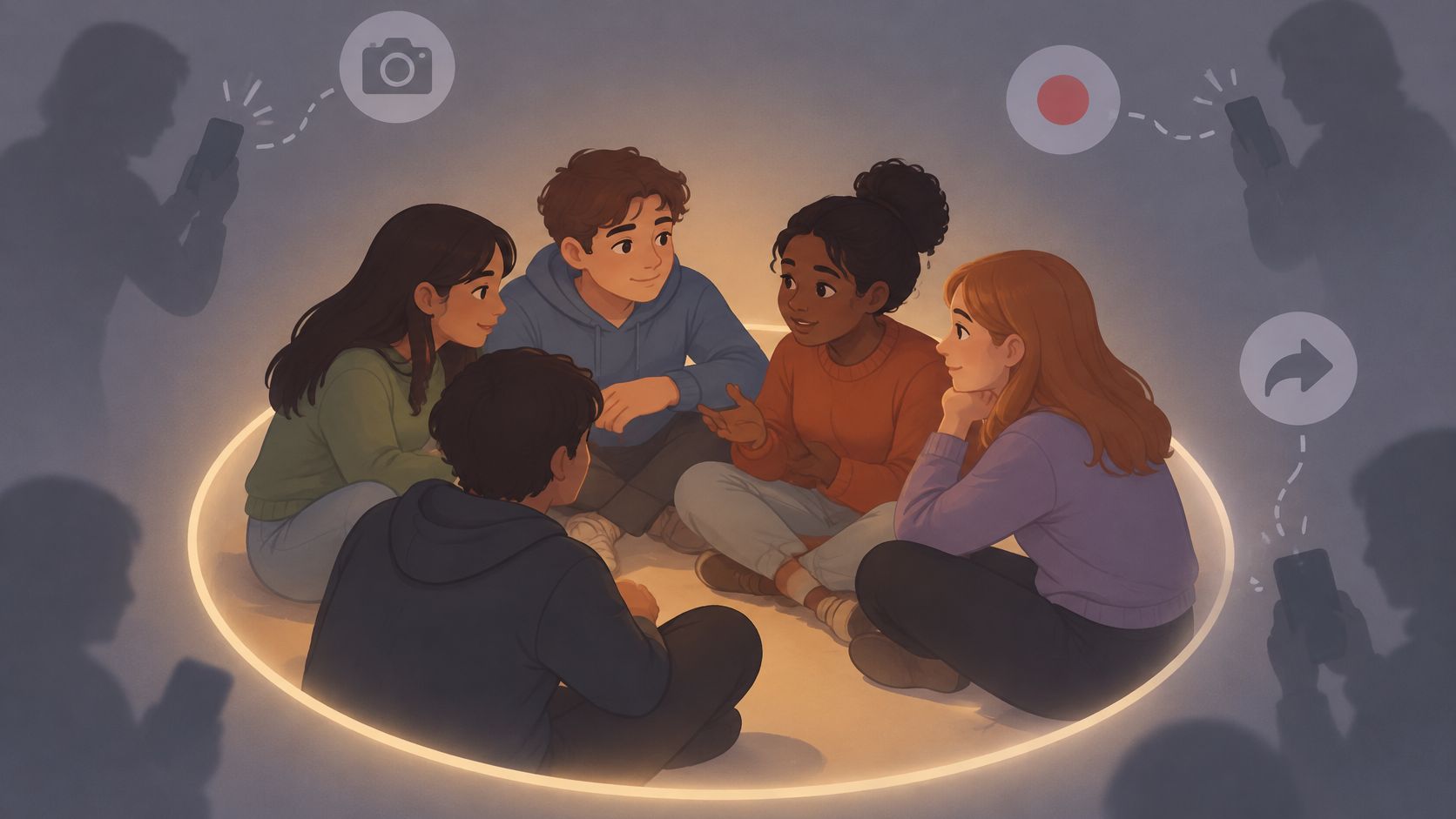
Recipients have responsibilities, too. Don't pressure someone to include you, ask another member to forward a restricted Story, or share someone's personal update without permission.
Close Friends content is not available through outside public-lookup tools, including Unfollowers Track, and those tools cannot reveal someone's complete Close Friends list. Claims that a public lookup can provide this access should be treated cautiously. Public lookups don't require an Instagram password, so credentials are not a necessary step for checking publicly available information.
For privacy beyond individual Stories, making an Instagram account private addresses account-level audience settings. A private account changes who can access its content, while careful sharing still matters for anything a recipient can view.
A small business deciding how to share an update can start with the audience. Opening hours suit a broad post or Story, while a personal customer conversation fits a direct message.
The formats serve different purposes: Close Friends Stories go to selected members, while regular Stories and posts reach the audience allowed by the account's settings. Direct messages go to chosen recipients. A public Story viewer can show currently available public Stories from a public account. It does not show private audience choices.
If the problem is unwanted interaction rather than choosing where to publish, compare restricting versus blocking on Instagram. These options address how an account handles another user, not who receives a particular post.
For a public account's current Stories, the currently available public Story viewer is one lookup option. Access does not require an Instagram login. This public viewer cannot show Close Friends Stories or reveal the owner's private audience list.
Is there a maximum number of Close Friends?
The official documentation cited here doesn't establish a maximum, so avoid treating an exact limit as confirmed.
Can someone ask why they were included?
Yes. If you're curious, ask the account owner privately and casually, without assuming the list reflects a particular relationship. They can explain their own choice, or keep it private.
Can a public lookup reveal someone's Close Friends Stories?
No. Unfollowers Track only supports available public Stories; it cannot access Close Friends Stories.
What does the green ring show?
It signals that a Story is shared with the viewer as a Close Friends audience. It does not reveal who else is on the list, when the list changed, or why the account owner chose that audience.
Unfollowers Track offers public Story viewing and tools for reviewing available public follower relationships. Visit Unfollowers Track and choose a tool for public-information questions, separate from private audience choices.
About the author
We are the team that builds and runs Unfollowers Track, a scan-based Instagram tracker. Everything we publish is checked against how the product actually works: scans analyze public profile data only, changes show up by comparing one scan against the next, and we never ask for your Instagram password. Unfollowers Track is owned and operated by NaviStack LLC. Learn more about Unfollowers Track, read how we test and verify claims, or contact us with questions or corrections.
Unfollowers Track
Start with a free preview of who doesn't follow you back. Ongoing tracking then compares each completed scan with the last one, so you can see who unfollowed you in between.
Privacy & blocking
Why Does Instagram Hide Comments? Learn the filters, Restrict and Limits behind hidden comments, who can still see them, and how to review settings.
Nov 14, 2026
Privacy & blocking
Learn how to tell if someone deactivated their Instagram, how it differs from deletion or a block, and which logged-out checks and timelines to use.
Oct 27, 2026
Privacy & blocking
How to make your Instagram private on the app or web, what non-followers can still see, and what happens to follow requests and existing followers.
Oct 25, 2026
Privacy & blocking
Does Instagram notify when you screenshot a Story, post, Reels view or DM? Discover what actually triggers alerts and what stays private in 2026.
Oct 14, 2026