Unfollowers
Can You See Who Unfollowed You on Instagram? (2026 Answer)
Can you see who unfollowed you on Instagram? Not natively, but a free public-data tracker can from your first scan onward. Here's the honest 2026 answer.
Jul 3, 2026
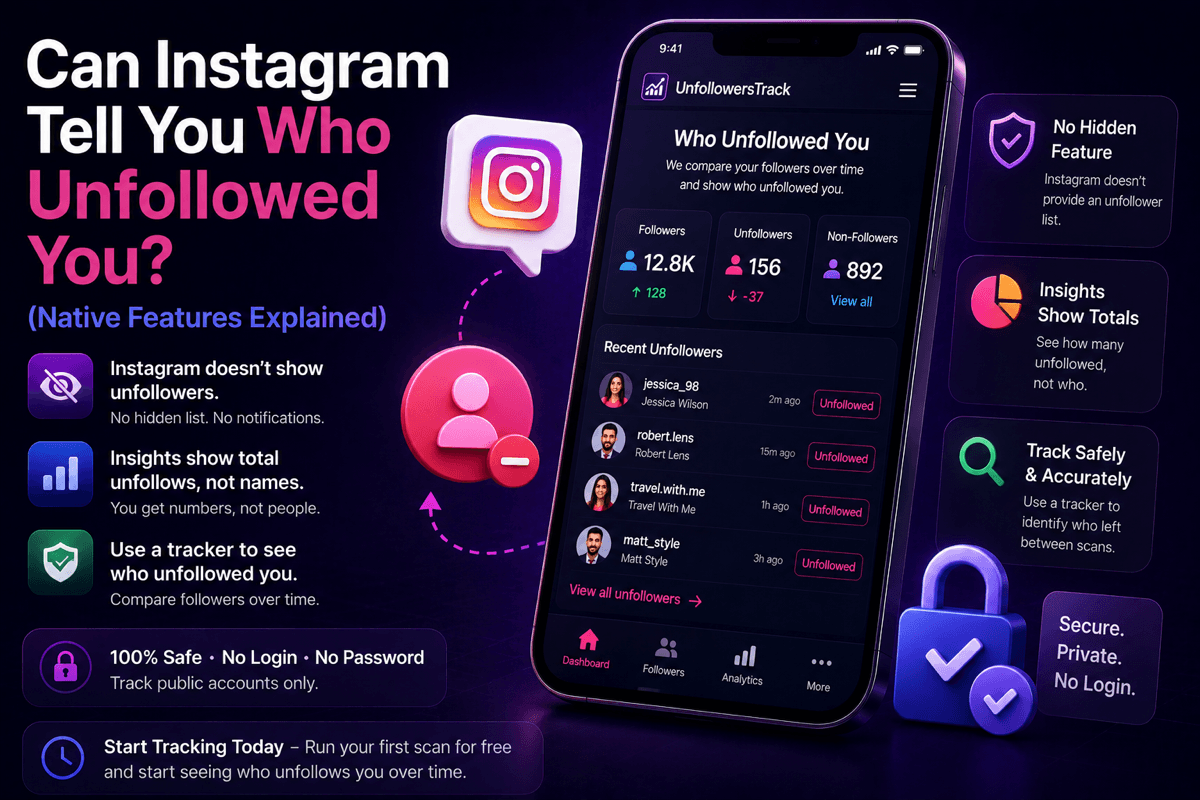
Can Instagram tell you who unfollowed you? No, there is no native feature or notification. Here is what Instagram does show, and how a password-free tracker fills the gap.
Key Takeaways
TLDR
No, Instagram has no feature, setting, or notification that tells you who unfollowed you, and it never has. As of mid-2026 there is no hidden menu, no premium toggle, and no secret list waiting to be unlocked. If a video or an app promises to reveal one, it is describing something that does not exist.
This matters because the search itself sends people down a rabbit hole. You lose a few followers, the number ticks down, and it starts to feel like Instagram must be storing the answer somewhere. It is not. The app shows you the state of your account right now, not a record of who came and went.
The rest of this guide does two things. First it audits every native surface Instagram actually gives you, so you can stop hunting for a setting that was never built. Then it explains the one method that does work, comparing your public follower list over time, and how a tracker does that without ever touching your password.
Instagram is not hiding your followers from you. It just never frames the data as a who-left report. Here is everything the app genuinely surfaces, and the wall each option runs into.
Open your profile and you get two numbers: how many accounts you follow, and how many follow you. Tap the follower count and you can scroll the entire list of who currently follows you, name by name.
The limit is that the list is a snapshot of this second. It does not tag anyone as new, mark anyone as recently gone, or show the date they followed. If your count drops by four overnight, Instagram will not tell you which four handles vanished. You are left comparing a live list against your own memory, which stops working past a small circle of people.
If you switch to a professional account, either Business or Creator, Instagram unlocks a professional dashboard with audience insights. Inside your follower breakdown you can usually see how many accounts you gained and how many you lost over a chosen window, shown as plain totals such as follows versus unfollows.
Read that carefully, because it is the closest Instagram comes, and it still stops short. Insights can give you the number of unfollows for a period. It never attaches a name to a single one of them. You might learn that you lost eleven followers last week; you will not learn who they were. These insights also depend on account type and eligibility, so treat the exact layout as something to confirm in your own app rather than a fixed promise.
Instagram does offer a few curated lists, and they get mistaken for unfollower tools constantly. In your Following list you can sort by categories such as "Least interacted with" or "Most shown in feed."
These are not unfollower lists. "Least interacted with" ranks the accounts you follow by how little you engage with them, not by whether they follow you back, and not by whether anyone left. Close Friends and Favorites are simply audience groups you build by hand. None of them track unfollows, and none of them will ever name a person who dropped you.
Instagram has never shipped an unfollower list, and it has not signaled any plan to. The company has not published its reasoning, so the best anyone can do is infer it. Treat what follows as a reasonable read, not inside knowledge.
Unfollowing appears to be designed as a quiet action. If the app announced every departure, unfollowing would feel confrontational, and people would hesitate to curate their own feed. A silent unfollow keeps the pressure off everyone. There is also a privacy angle: turning your follower churn into a running scoreboard is the kind of feature that tends to make a platform feel more stressful, not less.
Whatever the exact reason, the practical takeaway is the same. The absence looks deliberate, not like a gap you can pry open, which is why every method that actually works reads the public follower list from the outside instead of unlocking something inside the app.
With no native report, there are really two honest ways to catch an unfollow, plus one that barely counts.
The manual route is to pick a specific person you suspect left, search your follower list for their handle, and check whether they are still there. It works fine for one or two people and collapses the moment you try to audit hundreds.
The reliable route is to compare your follower list at two points in time and flag whoever disappeared between them. You can do it by hand with a written list if your account is tiny, or let a tool take the snapshots for you. If you want the full step-by-step, we cover how to see who unfollowed you on Instagram in a separate guide.
The third way is simply noticing. Someone stops liking your posts, you go looking, and the follow is gone. It is less a method than an accident, but it is how most people first get curious about the number.
A scan-based tracker automates the reliable route. You give it a public username, with no login and no password, and it records a snapshot of who follows that account right now. On the next scan it compares the fresh list against the saved one and shows you exactly who left, who is new, and how the count moved.
Two honest points define what this can and cannot do. First, it works entirely from public data, the same follower list Instagram already shows anyone who visits the profile, so the results are estimates built from what changed between scans rather than a private feed from Meta. Second, history starts when tracking starts. The first scan is your baseline; it cannot reach backward and tell you who unfollowed you last month, because there was no earlier snapshot to compare against.
That is the whole mechanism behind our own Instagram unfollow tracker: run a free baseline scan today, and every unfollow after it becomes visible on the next scan. If you also want to watch new follows and following changes, the Instagram recent follow tracker covers that side of the same public data. Neither one asks for your Instagram password, and starting the clock now is the only way to see departures going forward.
The honesty above is exactly what the scam apps skip, so it is worth naming the red flags directly.
Any tool that offers to show who viewed your profile or "stalked" you is inventing a feature. Instagram does not share profile-view or story-screenshot data with third parties, so a "profile viewers" list cannot be real. Treat that promise as a signal to close the tab.
Any tool that claims to unlock a hidden Instagram unfollower setting is misrepresenting itself, because there is no such setting to unlock. And any app that asks you to log in with your Instagram username and password is the biggest warning of all; a legitimate tracker never needs your credentials to read a public follower list. Before trusting any option, it is worth reading an Instagram unfollow tracker comparison and checking how each one handles your data.
One more honest note: tools like Unfollowers Track are not affiliated with Instagram or Meta. We compare public follower data over time and report estimates based on what changed between scans, and that is the entire trick. There is no back door, and nobody needs one.
No. Instagram sends no notification, keeps no list, and offers no setting that reveals an unfollow. The follower count simply drops, and the app never tells you whose follow it lost.
Insights can show professional accounts an aggregate number of unfollows over a period, but never a name. You might see that you lost nine followers last week; Instagram will not tell you which nine. Confirm the exact breakdown in your own app, since it depends on your account type.
No. There is no secret menu, premium toggle, or unlockable list. Any app or video claiming to reveal one is misrepresenting itself, because the feature has never existed.
They save a snapshot of your public follower list and compare it against the next one, flagging anyone who disappeared. History starts when tracking starts, so the first scan is a baseline and only later scans can show departures. Our full walkthrough on how to see who unfollowed you explains the steps.
No. Instagram does not share profile-view data with third parties, so any "profile viewers" or "stalker" feature is fabricated and a reliable scam signal. If you are weighing which tools to trust, it helps to read whether an unfollow tracker is safe before installing anything.
About the author
We are the team that builds and runs Unfollowers Track, a scan-based Instagram tracker. Everything we publish is checked against how the product actually works: scans analyze public profile data only, changes show up by comparing one scan against the next, and we never ask for your Instagram password. Read how we test and verify claims, or contact us with questions or corrections.
Unfollowers Track
Start with a free preview of who doesn't follow you back. Ongoing tracking then compares each completed scan with the last one, so you can see who unfollowed you in between.
Unfollowers
Can you see who unfollowed you on Instagram? Not natively, but a free public-data tracker can from your first scan onward. Here's the honest 2026 answer.
Jul 3, 2026
Unfollowers
Wondering who unfollowed me on Instagram? Learn the safest ways to track Instagram unfollowers in 2026 with a secure Instagram unfollower tracker.
Jul 3, 2026
Unfollowers
Use an Instagram follower tracker to see who unfollowed me on Instagram. Hassle-free: find out who stopped following you in 2026.
Jun 12, 2026