Guides
Instagram Follower Monitoring Apps for Business and Creator Accounts
Discover the best Instagram follower monitoring apps for businesses and creators. See how Unfollowers Track helps grow your audience.
Jul 17, 2026
© 2026 UnfollowersTrack
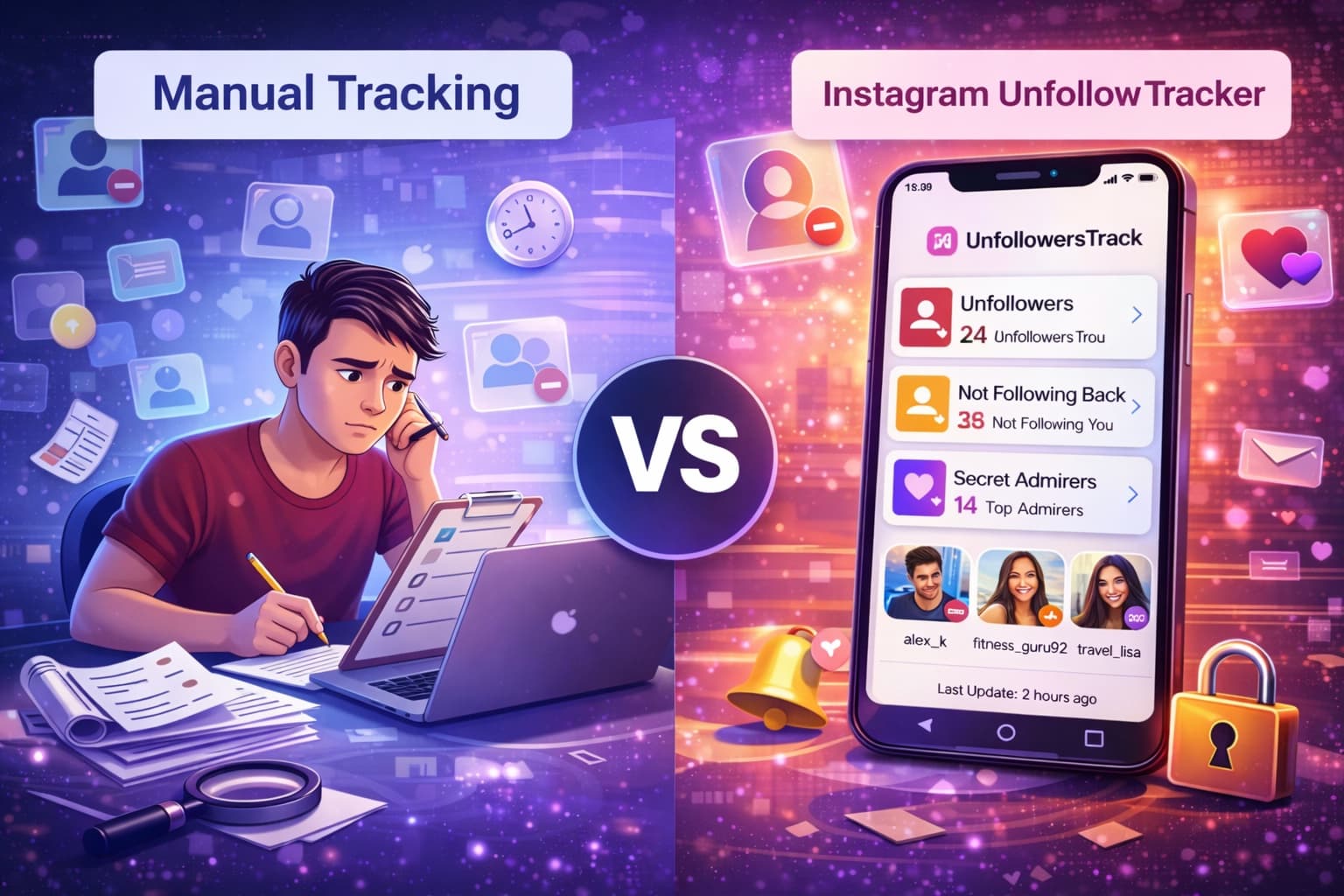
Compare automated unfollow trackers with manual tracking methods. Learn the pros and cons of each approach and discover which method works best for your Instagram growth strategy.
TLDR
Instagram growth isn't just about gaining followers; it's about understanding who stays, who leaves, and why. If you've ever noticed your follower count drop without knowing the reason, you're not alone. Instagram shows numbers, but it doesn't explain the story behind them.
This is where Unfollowers Track comes in. It helps users move beyond surface-level stats and gain meaningful insights into their audience behavior.
An Instagram unfollow tracker is a tool designed to monitor changes in your follower list. Instead of guessing who unfollowed you, these tools clearly show:
Since Instagram's built-in analytics don't provide this level of detail, third-party tools like Unfollowers Tracker fill an important gap for creators, influencers, and businesses. Tracking unfollow activity allows you to understand patterns instead of reacting blindly.
With the right insights, you can improve content quality, maintain a healthier follower base, and protect your engagement rate.
When trying to keep track of Instagram unfollows, users usually face a common dilemma: rely on an automated unfollow tracker or handle everything manually. Both approaches have their own advantages and drawbacks, and the right choice depends on how much value you place on convenience, accuracy, and account safety.
| Factor | Automated | Manual |
|---|---|---|
| Speed | Instant updates and alerts. | Slow, depends on check frequency. |
| Effort | Low effort after setup. | High effort and repeated checks. |
| Risk | Depends on tool quality. | Lowest risk, policy-safe. |
| Best for | Growing accounts and teams. | Small accounts and privacy-first users. |
Understanding the difference between these two methods can help you make a smarter, risk-aware decision for your Instagram growth.
Instagram unfollow trackers are third-party tools created to monitor follower changes automatically. They regularly compare your follower and following lists to identify who unfollowed you, who doesn't follow back, and which accounts remain inactive.
The biggest benefit of using an unfollow tracker is automation. Instead of checking your account manually, the tool handles everything in the background and saves hours of effort. Many trackers also provide timely alerts when someone unfollows, allowing you to spot patterns quickly.
In addition, these tools often include advanced insights such as non-followers, inactive users, and follower growth trends over time. Some even present historical data in easy-to-read charts, helping you understand long-term audience behavior rather than one-off changes.
Despite their convenience, unfollow trackers come with notable risks. Many require direct access to your Instagram account, which can expose your login details to security threats. Using unauthorized third-party tools may also violate Instagram's policies, increasing the chance of temporary blocks or even permanent account suspension.
Another concern is reliability; some tools delay updates or show incorrect unfollow data. On top of that, premium features often come at a cost, making long-term use expensive for casual users.
Manual tracking involves checking your followers and following lists yourself or downloading your account data directly from Instagram. While this method lacks automation, it offers complete control and peace of mind.
Manual tracking workflow
Download your follower data from Instagram.
Compare past vs current lists in a spreadsheet.
Spot missing usernames and track dates manually.
The biggest advantage of manual tracking is safety. Since no third-party tools are involved, there is zero risk of account suspension or data misuse. It's also completely free and ensures full privacy, as your information stays within Instagram's ecosystem.
The downside is the time and effort required. For accounts with hundreds or thousands of followers, manually tracking unfollows becomes impractical. It's also difficult to pinpoint exactly when someone unfollowed unless you keep detailed personal records, making long-term trend analysis almost impossible.
Common manual tracking methods include:
While Instagram shows basic numbers, it doesn't explain who unfollows, who engages the most, or what actually drives growth. That's where Unfollowers Tracker makes a difference.
Designed for creators, influencers, and brands, Unfollowers Tracker provides clear, actionable insights that help you stay in control of your Instagram performance.
Key features include:
Track Unfollowers Easily
See which accounts stopped following you at your next scan so you can respond quickly and protect your growth.
Identify Top Engagers
Discover followers who interact with your content the most and focus on building stronger connections with them.
Monitor Growth Trends
Track follower changes and engagement patterns over time to understand what content drives consistent results.
Post Performance Insights
Analyze how your posts perform in terms of reach and interaction to improve future content.
No Password Required
Get insights using just your public Instagram username, safe, simple, and secure.
Quick Setup
Enter your username, let the system analyze your account, and access detailed insights in minutes.
Unfollowers Tracker is built for users who want clarity, control, and smarter Instagram growth. It focuses on transparency, ease of use, and meaningful analytics, without unnecessary complexity.
If you're serious about understanding your audience and improving your Instagram strategy, Unfollowers Tracker gives you the insights you need to grow with confidence.
Getting started with Unfollowers Tracker is quick and hassle-free. There's no complicated setup or technical process involved. You simply enter your public Instagram username, no passwords required. Next, the system analyzes your follower activity and engagement signals. Within moments, you'll have access to insights that show unfollow activity, engagement patterns, and growth trends.
Keeping track of Instagram follows and unfollows can quickly become challenging, especially as your account grows. While some users prefer manual methods for safety, others rely on automated tools for speed and scale. Each approach has its own strengths and its own risks.
Understanding how these methods differ helps you choose the right tracking strategy based on your goals and account size.
Manual
Automated
Manual Instagram Tracking is secure but slow. Manual tracking involves checking follower and following lists yourself or maintaining records in spreadsheets. The biggest advantage of this approach is security. Since no external tools are involved, your account remains fully protected and compliant with Instagram's rules. However, manual tracking is highly time-intensive and becomes less reliable as follower numbers increase. Human error, missed changes, and outdated records can make results inaccurate, especially for active accounts.
Automated Tracking Tools are fast but require careful use. Automated unfollow tracking tools are designed to handle large volumes of data efficiently. They monitor follower changes with automatic scans and can track hundreds or even thousands of accounts with minimal effort. For users focused on growth, automation offers a clear advantage in speed and scalability. These tools are commonly used by businesses, influencers, and marketers who need quick insights to manage engagement and audience behavior.
That said, automation comes with risks. Many tools require account permissions or API access, which may conflict with Instagram's policies. Improper use can lead to temporary restrictions, action blocks, or even account suspension if guidelines are violated.
In terms of accuracy, efficiency, and effort, manual tracking often struggles with accuracy due to the sheer amount of data involved, making it unsuitable for fast-growing accounts. Automated solutions excel at handling frequent changes and large follower lists without delays. In terms of efficiency, automation clearly outperforms manual tracking.
If you manage a large account and need quick insights into follower behavior, an unfollow tracker can save time, but only when used cautiously and responsibly. On the other hand, if account security and compliance are your top priorities, manual tracking remains the safest option, even though it demands more effort.
The key is finding the right balance between convenience and protection while aligning with your Instagram goals.
Unfollowers Tracker helps you stay informed about unfollow activity without the hassle of manually checking your follower count, making it easier to spot sudden drops or ongoing trends. By analyzing when users unfollow after specific posts or campaigns, you can fine-tune your content strategy and avoid what your audience doesn't respond to.
It also identifies accounts that don't follow you back, allowing you to clean up your following list and maintain a healthier follower ratio. In addition, the tool highlights inactive or ghost followers who never engage, helping improve your overall engagement rate.
For brands and creators, these insights support better audience and relationship management by revealing changes in follower behavior before they impact growth.
About the author
We are the team that builds and runs Unfollowers Track, a scan-based Instagram tracker. Everything we publish is checked against how the product actually works: scans analyze public profile data only, changes show up by comparing one scan against the next, and we never ask for your Instagram password. Read how we test and verify claims, or contact us with questions or corrections.
Guides
Discover the best Instagram follower monitoring apps for businesses and creators. See how Unfollowers Track helps grow your audience.
Jul 17, 2026
Guides
Compare Instagram follower tracker accuracy in 2026. See when to use scan-based follower tracking, Instagram Insights, and broader analytics tools.
Jul 11, 2026